⚠️ New Chat Request!Someone wants to chat with you.
Beyond Chat: Building a Local AI Agent That Edits Images and Creates Videos
Scott Walker · Oct 31, 2026
From Local Chatbot to Creative AI Agent: What Changed—and What Broke Along the Way
My local AI agent started with a straightforward idea: connect an Ollama model to Python tools so it could do more than generate text.
The latest changes push that idea further. The agent can now edit images, animate photos into short videos, handle image downloads more reliably, and maintain enough conversation context to actually finish the task it started.
Getting there wasn’t just about adding models. It meant addressing GPU memory, model caching, tool execution, and a particularly frustrating bug where the agent successfully retrieved information—and then forgot why it had retrieved it.
Moving to a Larger Local Chat Model
The configuration moved from a remote Ollama endpoint running Qwen 2.5 7B Instruct to a local Ollama instance running
Qwen3 30B-A3B.
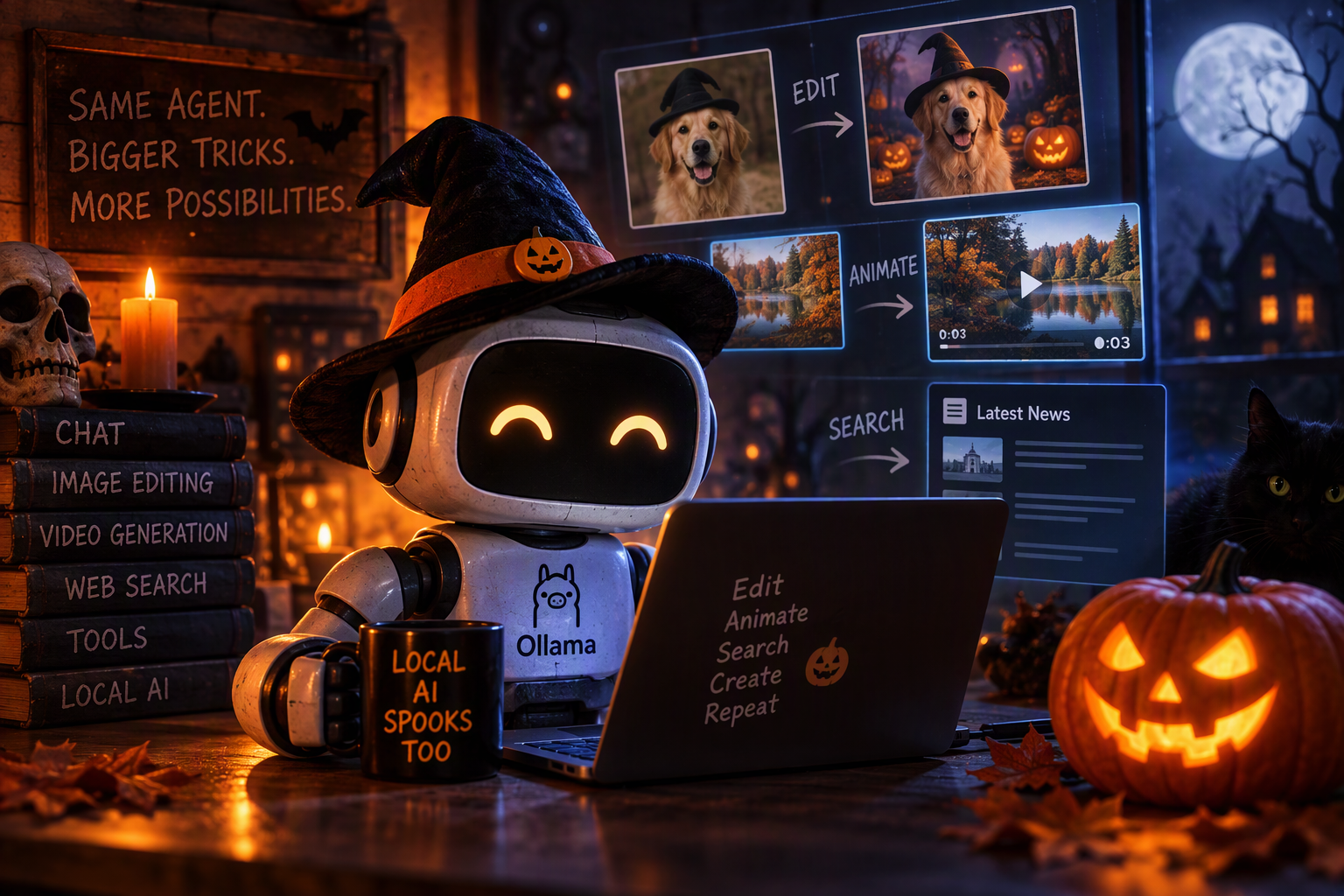
The chat model remains the coordinator. It interprets requests, selects tools, and turns their results into answers. Image editing and video generation use separate specialist models rather than asking the language model to do something it cannot do.
That separation matters: describing an edited image is not the same as editing one, and saying a video was saved is not the same as creating a file.
Adding Real Image Editing
The agent now supports natural-language editing of local images using
FLUX.1 Kontext [dev].
Requests can describe changes to head position, gaze, hair, lighting, background, or other visual details. The agent passes the local image and editing instruction to the model, then saves the result as a new PNG.
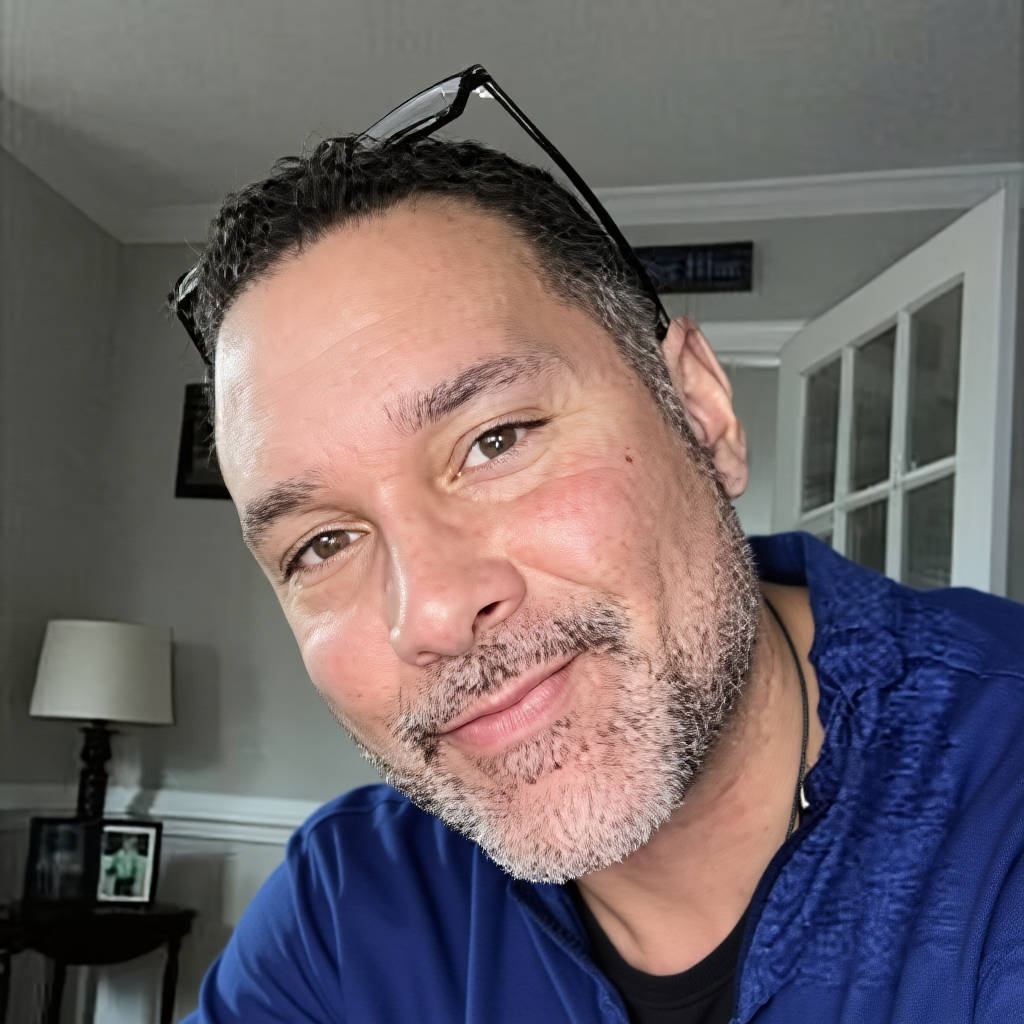
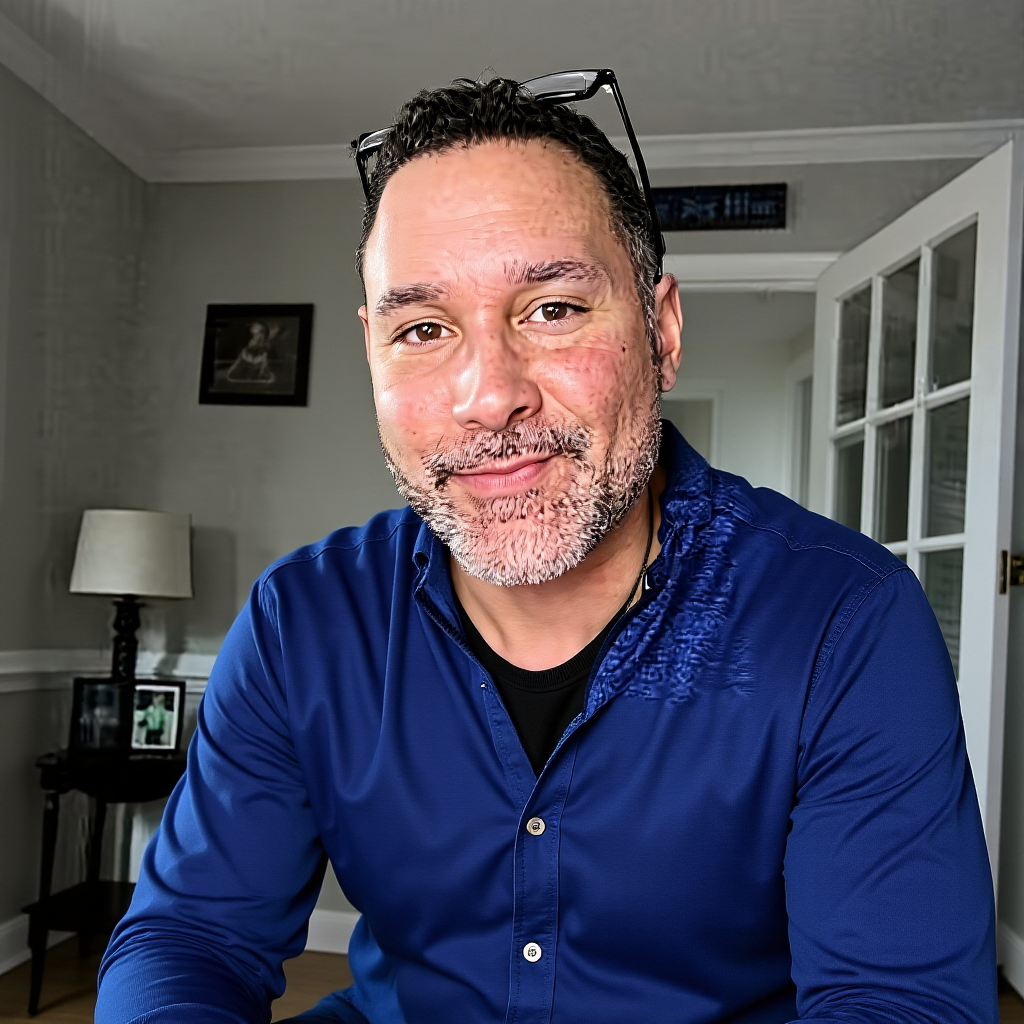
One important refinement was how editing instructions preserve identity. Telling the model to “keep the face unchanged” conflicts with asking it to straighten the person’s head or change their gaze. Instructions now distinguish between preserving the person’s identity and preserving the specific features the user wants changed.
The implementation also includes:
Four-bit transformer quantization and CPU offloading for memory management.
A persistent, repository-relative cache for the quantized transformer.
Reuse of the loaded editing pipeline within the same process.
Input validation and protection against overwriting existing files.
Clearer messages distinguishing model downloads from loading cached weights.
The initial setup still requires substantial downloads and acceptance of the model’s license. Local execution does not remove those licensing requirements.
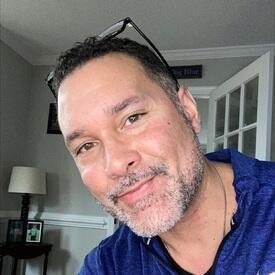
Original (275x275) 13.7 KB
After (1024x1024) 1.38 MB
Changed head and body position (1024x1024) 1.35 MB
Turning Still Images into Videos
The biggest new capability is local image-to-video generation using LTX-Video 0.9.5.
A request can now look like this:
Create a three-second video from this photo. Have the trees sway gently while the camera slowly moves forward.
The agent routes that request to the video tool, which renders an MP4 locally.
Current defaults include:
One- to five-second requested durations.
24 frames per second.
A 704-pixel longest edge, rounded to model-compatible dimensions.
Aspect-ratio preservation.
A fixed seed for more repeatable comparisons.
Video model installation is an explicit setup step. Generation loads local weights only; missing model files produce an error rather than triggering an unexpected download.
Output handling also protects existing files and avoids leaving a partial destination video after a failed render.
This is useful functionality, but it is not magic. Generation can take several minutes, and hands, faces, and motion can still distort. Simple, specific motion instructions generally provide better control than asking for several actions at once.
Making Multiple Models Share One GPU
Adding specialist models creates a practical problem: they compete for GPU memory.
Before image editing, the agent requests that Ollama unload its chat model. Before video rendering, it also releases any cached image-editing pipeline.
The video pipeline uses sequential CPU offloading and VAE tiling, then releases GPU resources after rendering—even when rendering fails. Ollama can reload when the next chat request arrives.
The tradeoff is additional loading time. The benefit is avoiding the assumption that every model can remain resident on the GPU simultaneously.
Making Image Downloads More Reliable
Image-saving behavior received several usability improvements.
The agent can normalize Markdown-wrapped image links and convert a requested destination extension to PNG. It preserves URL query parameters and accepts direct image URLs as well as search results.
If a selected search image cannot be downloaded, bounded fallback attempts can try other candidates. The agent also tracks whether saving actually succeeded instead of accepting a model’s unsupported claim that the file exists.
Downloaded images are decoded and converted—not simply renamed with a different extension.
Improving News Searches
General headline requests now distinguish between actual topic terms and request words such as “latest,” “top,” and “news.”
When no topic or sources are supplied, the search uses a default set of outlets instead of treating those generic words as the subject.
The agent also reports relevance decisions and excludes rejected news candidates from the material sent back to the model. That makes it easier to diagnose weak coverage and reduces the chance of summarizing unrelated articles.
Fixing the “You Haven’t Asked Me Anything” Bug
The most revealing failure happened during an NBA recap request.
The agent correctly called the scoreboard tool. The tool returned. Then the model announced that the user had not provided a request.
The question was still present in Python’s conversation history.
Ollama’s 4,096-token context was too small to retain it alongside the instructions and scoreboard data.
Replaying the identical conversation with an 8,192-token context produced the recap.
The fix was to:
Explicitly request a 16,384-token context.
Keep the 4,096-token response limit separate.
Repeat the original request alongside each tool result.
Clarify that tool calls require JSON, while final answers can use normal text.
Both original NBA prompts were then replayed successfully against local Ollama. The related regression run passed 41 tests.
A larger context is still finite and requires more memory, but this addressed the reproduced failure.
Strengthening the Agent Loop
The surrounding execution logic also became more defensive:
Generation stops once a complete tool call is detected.
Conversation history retains the executed call without surrounding speculative text.
Python-style tool calls can be parsed alongside the expected JSON format.
Empty responses receive a bounded retry.
Excessively long responses are stopped and handled explicitly.
Local editing and animation requests receive reminders when the model describes an action without invoking the required tool.
Expanded tests cover conversation handling, image operations, video validation, caching, and failure paths. Setup documentation now explains Windows environment activation, model installation, and hardware expectations.
The Bigger Lesson
The agent has become more capable, but the most valuable changes are not just the new creative tools.
They are the boundaries around those tools: knowing when to load a model, when to release it, what counts as successful execution, and how to preserve the user’s request through the entire workflow.
A useful local agent needs more than a capable model. It needs reliable coordination between the model, its tools, and the machine running them.
Hello, I’m Scott. I’ve been writing code forever — web apps, Windows services, cybersecurity tools, you name it. I even released a 3D game in 2021 called Raid on Scorpion Island. I like building cool things, keeping the code clean, and AI.
Comments (0)
Please sign in to comment.