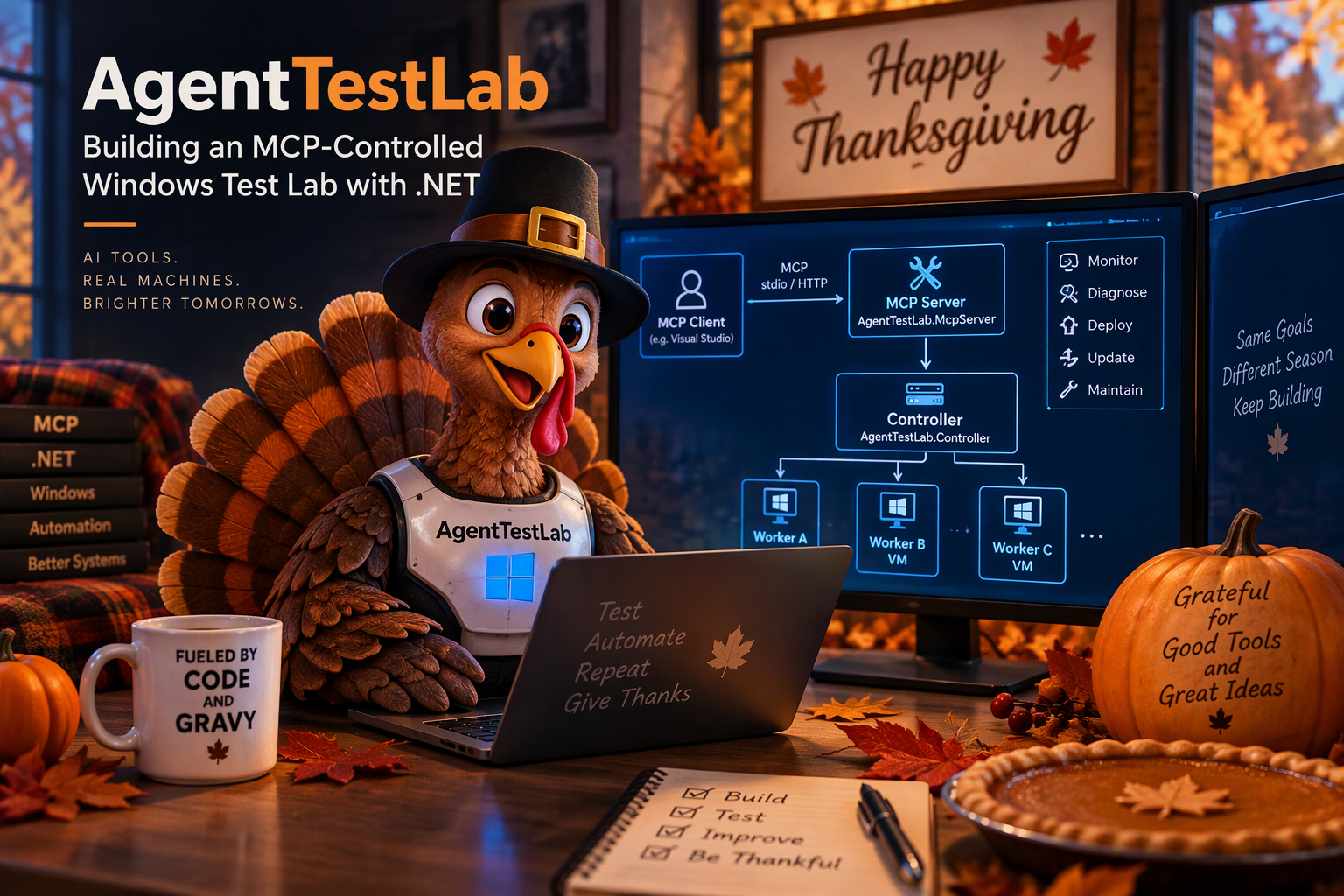
AgentTestLab: Building an MCP-Controlled Windows Test Lab with .NET
What started as an experiment with MCP tools has grown into a distributed test-lab system capable of coordinating operations across multiple Windows virtual machines.
AgentTestLab connects an MCP-capable AI client to a fleet of Windows test machines while deliberately separating AI-facing tools from the code that actually performs machine-level operations.
That separation is the most important part of the architecture.
The MCP server is not a remote shell. It doesn't have direct access to every VM, it doesn't execute arbitrary commands, and it doesn't install software itself. Instead, the system exposes a controlled set of typed operations through three distinct components: the MCP Server, Controller, and Worker.
The Architecture
At a high level, AgentTestLab looks like this:
MCP Client
   |
   | MCP
   | stdio or Streamable HTTP
   v
AgentTestLab.McpServer
   |
   | Typed HTTP API
   v
AgentTestLab.Controller
   |
   +----------+----------+
   |          |          |
   v          v          v
Worker A   Worker B   Worker C
   |          |          |
  VM A       VM B       VM C
Each layer has a specific responsibility.
- MCP Server exposes a narrow set of tools to the AI client.
- Controller knows which Workers exist and coordinates fleet-level operations.
- Worker runs on each Windows VM and performs the actual machine-level work.
Keeping these responsibilities separate means an MCP client never needs direct access to the individual test machines.
The MCP Server: A Narrow Tool Façade
AgentTestLab.McpServer is a .NET 10 host built with the official C# MCP SDK.
It exposes typed tools to an MCP client using standard input/output by default, with
Streamable HTTP available when explicitly configured.
Both transports expose the same tool surface.
The MCP tools cover operations such as:
- Worker discovery and status
- Agent diagnostics
- Agent service lifecycle operations
- Deployment workflows
- DLL updates
- Scheduled maintenance
Tool inputs are validated before anything is forwarded to the Controller. Malformed identifiers, invalid versions, unsafe package names, and other out-of-contract values are rejected at the MCP boundary.
Just as importantly, the caller cannot provide an arbitrary Controller or Worker URL. The Controller origin is configured when the MCP server starts.
The MCP layer also contains no Windows service-management, registry, filesystem, or Windows Installer implementation. Those responsibilities belong farther down the stack.
Keeping stdio Clean
With the default stdio transport, the MCP client launches the server as a child process. Standard output is reserved for MCP protocol messages while diagnostic logging goes to standard error.
That detail matters. Writing normal application logs into stdout could corrupt the JSON-RPC stream between the client and MCP server.
Streamable HTTP provides another option when the MCP client runs on a different machine, but it also changes the network exposure of the service and therefore has to be enabled deliberately.
The Controller: The Trusted Fleet Boundary
If the MCP server defines what an AI client is allowed to request, the
AgentTestLab.Controller determines where those requests can go.
Its configuration contains a registry of known Workers. Each Worker has a stable ID, display name, and trusted base URL. Entries can also be disabled or associated with an expected machine name.
The Controller validates that registry at startup and routes requests only to configured Workers.
This prevents callers from turning a tool parameter into an arbitrary network destination.
Short Commands vs. Long-Running Work
Some operations are simple enough to complete synchronously. The Controller forwards a typed command to the appropriate Worker and returns its result.
Software deployments are different.
Installing an MSI can take time, require a reboot, fail partway through, or leave behind evidence that requires further inspection. AgentTestLab therefore treats deployment as a durable workflow rather than one long HTTP request.
The Controller owns the deployment workflow while the Worker owns the local installation operation.
Both sides persist state locally so that an accepted operation can still be inspected after the original connection closes or a process restarts.
That distinction became an important design rule throughout AgentTestLab.
The Controller also avoids silently replaying MSI operations when recovery evidence is ambiguous. Instead of assuming success or retrying potentially destructive work, it can report an indeterminate state for investigation.
The Worker: Where Windows Operations Actually Happen
Every managed Windows VM runs an AgentTestLab.Worker Windows service.
The Worker exposes a deliberately small HTTP API covering:
- Worker identity
- Supported-command information
- Synchronous commands
- Durable operations
Unlike the MCP server and Controller, the Worker is running directly on the target VM. This is where machine-specific operations belong.
Worker handlers can perform operations such as:
- Inspecting and controlling the configured Windows agent service
- Validating staged MSI packages
- Invoking Windows Installer
- Reading Windows event logs
- Checking file signatures
- Recording durable operation progress
Package handling follows the same constrained design as the rest of the system.
An MCP caller doesn't provide an arbitrary local path or download URL. Instead, it selects a validated filename within the Worker's configured staging directory. The Worker performs local validation before using that package.
It also enforces installation safety locally and prevents conflicting installer work.
Installing Workers on the Test VMs
The Worker isn't remotely pushed to a machine by the MCP server or Controller.
AgentTestLab includes an elevated PowerShell installation script that registers the published
Worker executable as the AgentTestLabWorker Windows service and configures it to
start automatically.
The general process for each test VM is:
- Publish the Worker for the VM's target architecture.
- Install the Worker service on that VM.
- Configure its agent service, staging area, operation-state directory, and listener.
- Make the HTTP endpoint reachable from the Controller over the intended test network.
- Add the Worker to the Controller's trusted registry.
This is repeated for each VM that should participate in the test lab.
Following a Request Through AgentTestLab
A simple agent-status request demonstrates how the boundaries work.
- An MCP client calls the typed status tool using a Worker ID.
- The MCP server validates the request and sends it to the Controller.
- The Controller resolves the Worker ID using its configured registry.
- The request is sent to the corresponding Worker.
- The Worker executes the registered local handler.
- A typed result travels back through the Controller and MCP server to the client.
The returned envelope preserves the actual outcome, including whether the operation succeeded, failed, or couldn't be completed because the Worker was unavailable.
A Deployment Takes the Same Path, But Lives Longer
Deployment follows the same trust boundaries but uses the durable workflow system.
- The MCP client requests a deployment using a configured Worker ID, staged MSI filename, and request ID.
- The Controller validates the target and persists a workflow.
- The Controller submits a durable installation operation to the Worker.
- The Worker validates the package locally and runs the installer on its VM.
- The Controller records workflow progress and polls the Worker operation.
- The client can independently query workflow status.
- The terminal result reports the available installation evidence, including failures, reboot requirements, timeouts, or uncertainty.
No layer reports success simply because another layer accepted the request.
Scaling Operations Across Multiple VMs
Once the Controller knows about multiple Workers, some tools can operate against an explicit list of machines concurrently.
Batch execution is intentionally not treated as a distributed transaction.
If an operation succeeds on one VM and fails on another, AgentTestLab doesn't attempt to roll the successful machine back simply because another target failed. Each Worker has its own result and status identifier.
That model fits a test environment much better because individual machines can legitimately produce different results.
Building and Running the Lab
The solution is divided into shared contracts, MCP server, Controller, Worker, and their associated tests. Shared contracts keep commands and operation messages strongly typed across service boundaries.
Building and testing the solution starts with:
dotnet build .\AgentTestLab.slnx
dotnet test .\AgentTestLab.slnx
From there, the environment comes together in stages:
- Publish and install the Worker on each Windows test VM.
- Configure each Worker's local settings and network listener.
- Register the Workers with the Controller using unique IDs and trusted URLs.
- Verify Worker connectivity and supported commands.
- Run the Controller.
- Configure
Mcp:ControllerOriginfor the MCP server. - Connect an MCP client using stdio or Streamable HTTP.
For stdio deployments, I build the project before launching the MCP server so compiler output can't accidentally become part of the protocol stream.
For long-running and batch operations, the returned request, workflow, and operation IDs are important. If a connection times out, the right response is generally to inspect the existing operation's status rather than blindly submitting it again.
Trust Boundaries Matter
Typed MCP tools and input validation make the intended interface significantly more constrained than exposing a generic command executor, but they aren't substitutes for authentication or network security.
In the project's current configuration, the MCP HTTP endpoint, Controller API, and Worker API don't provide authentication or TLS.
The system deliberately avoids several capabilities that would make the architecture much harder to reason about:
- Generic remote shell commands
- Arbitrary script execution
- Caller-selected Worker endpoints
- Caller-provided package URLs
- Direct MCP-to-Worker connections
Instead, AgentTestLab favors typed actions, explicit VM targets, constrained package selection, durable operation records, and inspectable results.
Why I Like This Architecture
AgentTestLab started with a relatively straightforward goal: let an MCP client interact with Windows machines in my test environment.
The interesting engineering problem quickly became deciding how much control the AI-facing layer should actually have.
My answer has been: as little as it needs.
MCP provides the tool interface. The Controller provides the fleet boundary and orchestration layer. The Worker provides a deliberately constrained bridge to Windows operations on each VM.
That separation makes it possible to add increasingly useful automation without turning the MCP server into a remote administration service.
More importantly, operations remain explicit and inspectable. A deployment has a target. A long-running request has an ID. An installation has a durable state. A failure remains a failure. An uncertain result remains uncertain.
As I continue developing AgentTestLab, that's the principle I want to preserve: give an AI-assisted development environment useful control over a test fleet without giving it unrestricted control over the machines themselves.
Comments (0)
Please sign in to comment.